


Registering on the OneSpace Access App
Step 1:
Registration
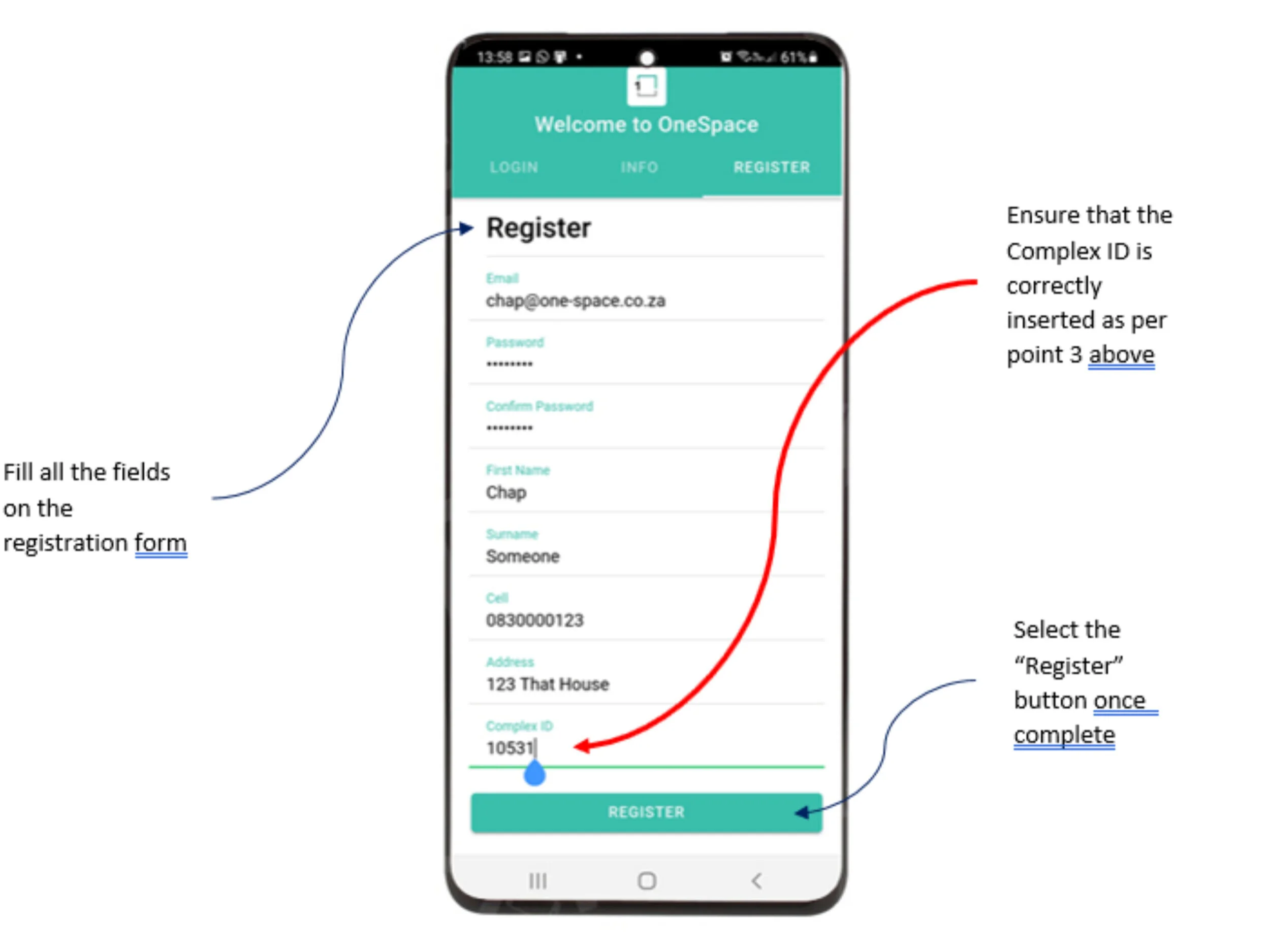
Once the app has been downloaded, select the “Register”" button on the right hand side
Fill in the required information, completing all the fields shown.
Your complex ID is 10531
Step 2:
Email verification
You will be sent a verification e-mail to the address used in the registration process.
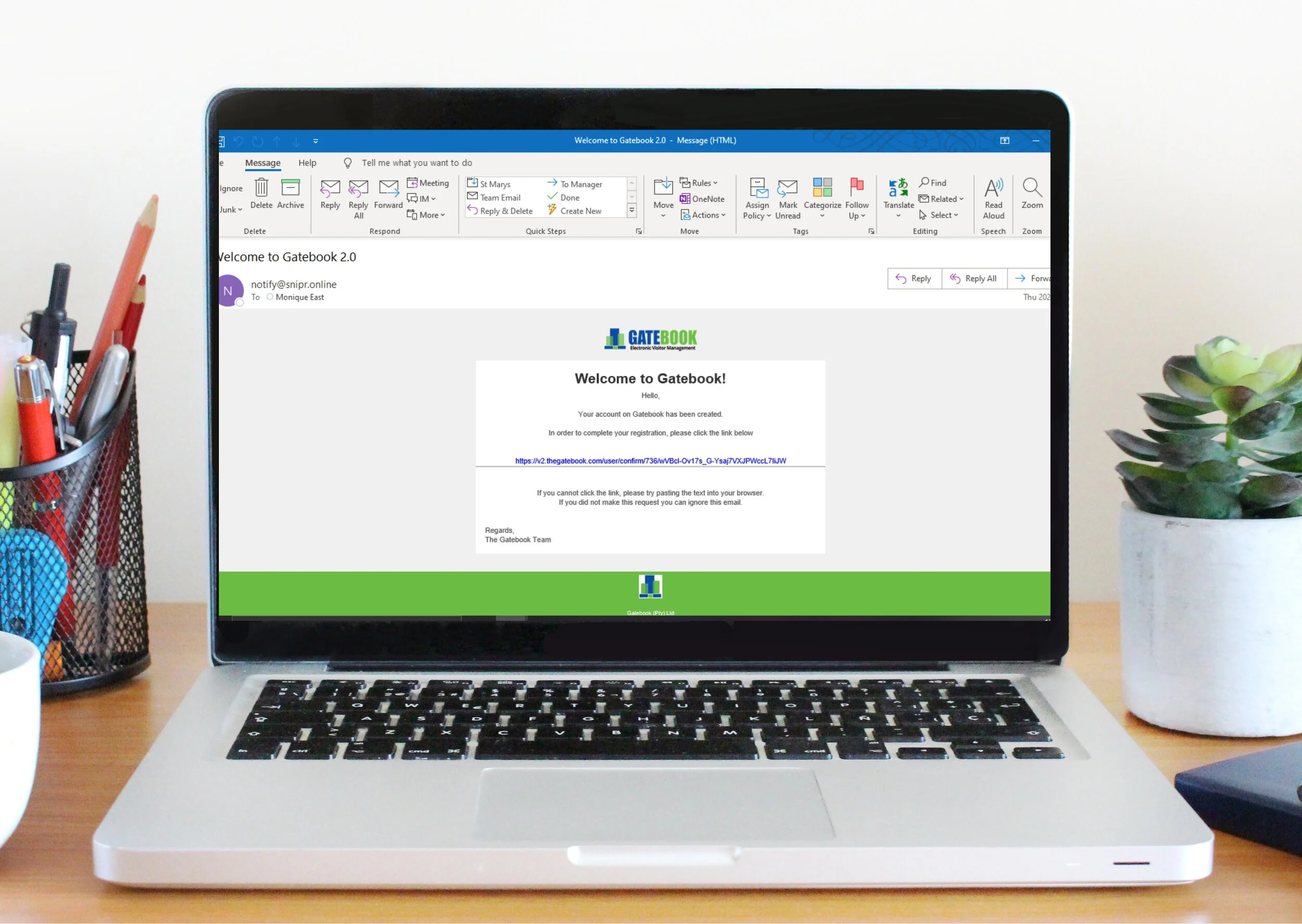
You will receive an e-mail from notify@snipr.online
Open the e-mail. (it may be in your junk mail)
The e-mail will look like the image below. Select the link (in blue) to confirm your e-mail address.
Once your e-mail has been verified your request for authorisation is sent to the HOA for approval.
Your HOA approval will be completed within 2 working days.
Step 3:
App Approval
Once the app registration has been approved by the HOA, an e-mail will be sent to the registered property’s primary contact.
This security step is to ensure that the registered Primary Key Holder of the ERF (this is the person listed in the Estate Management System as the Main Member) is always aware that a new user is being linked to their profile.
Once the Primary Key Holder has received the email with the authentication key you are able to finalise the device registration.
Ask the primary key holder for the authentication key
Note:
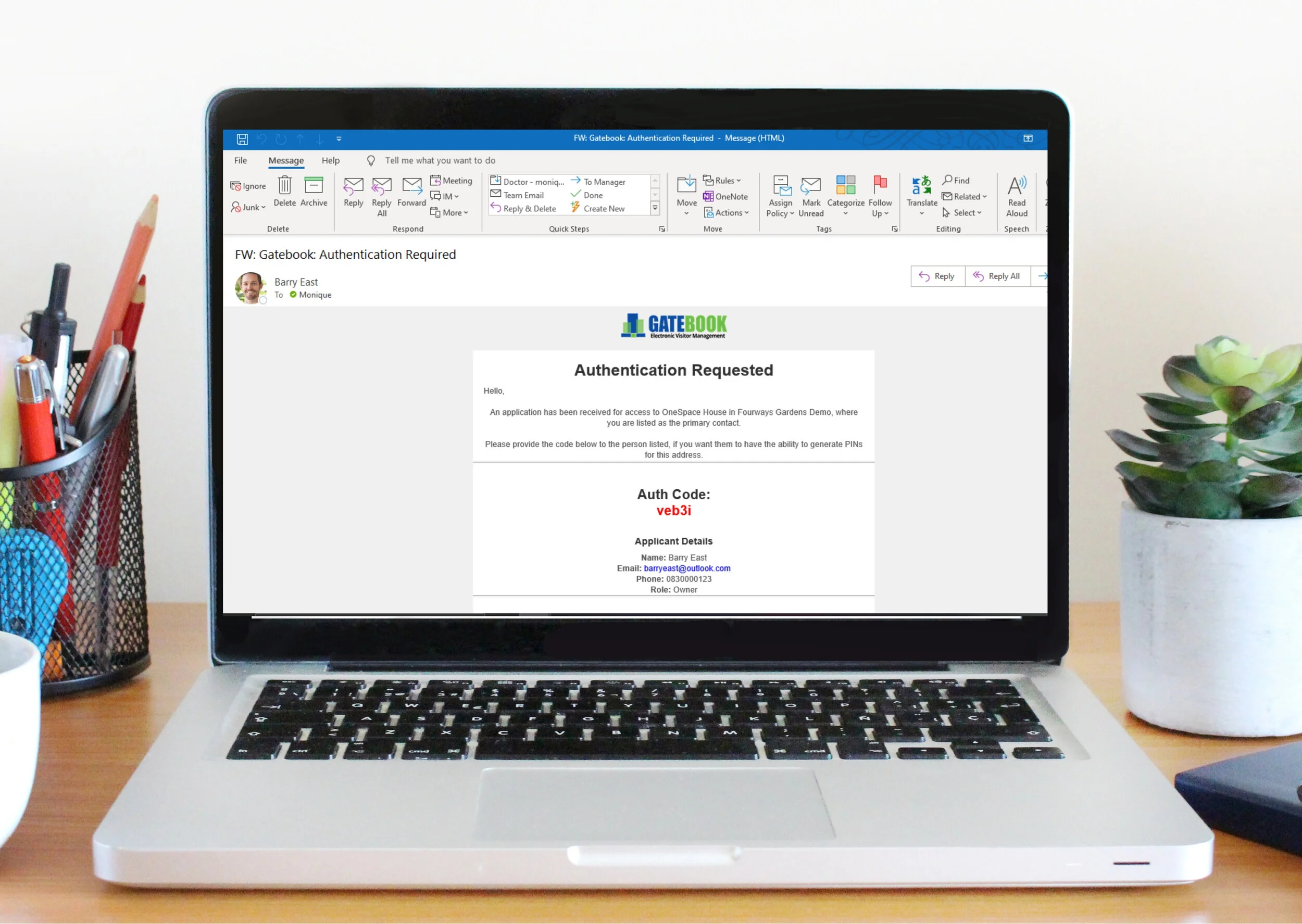
The Primary Key Holder for the property will receive an e-mail that looks like the one above.
The Authorisation code is in red.
The code is case sensitive. Please ensure that it is inserted as shown on the screen.
Step 4:
Completing Authentication
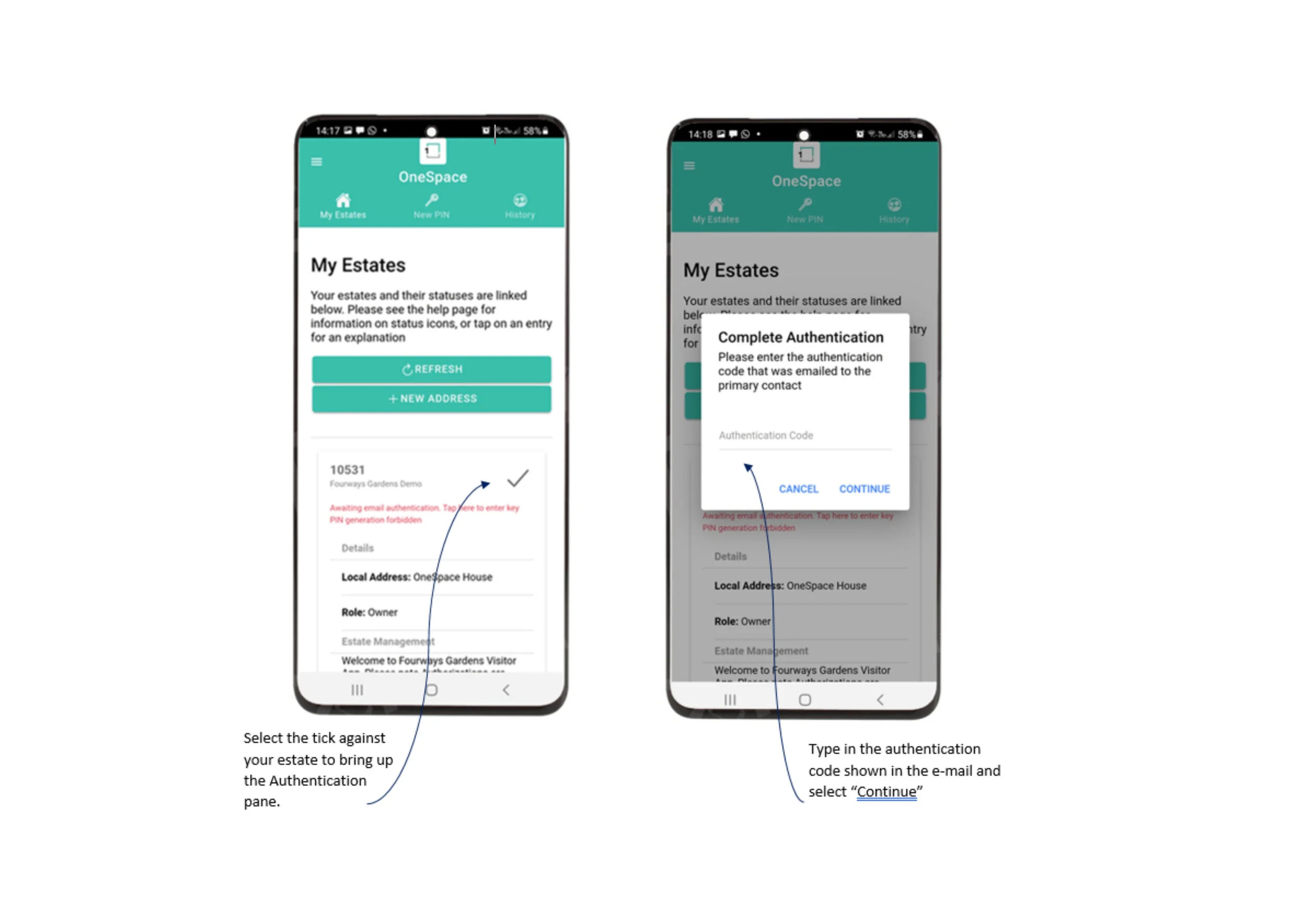
Open the app and select the tab entitled “My Estates”
·Select the property you have requested authorisation for.
Type in the Authentication Code received from the Primary Key Holder.
Select Continue
Note: The code is case sensitive. Please ensure that it is inserted as shown on the e-mail received by the Primary Key Holder.
You are now ready to invite Guests!